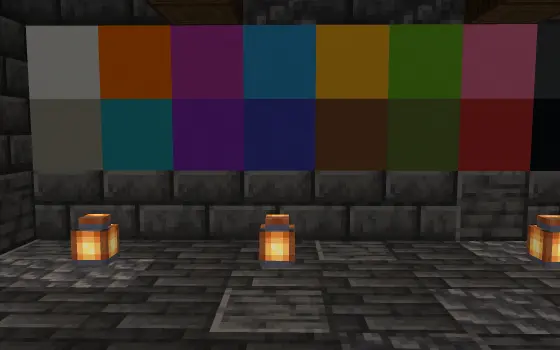
Minecraft Color Codes
All 16 color codes and 6 formatting codes with their hex values, click any card to copy it. Below the list the same colors go into a gradient in the format your server reads.
Minecraft Color Code Reference
The 16 classic color codes and 6 formatting codes. Click any code to copy it to your clipboard.
Formatting Codes
Blend these colors into a gradient
Two or three stops spread over your text, written out in five plugin formats. For a blend with more stops than that there is the gradient text generator, which takes as many colors as you keep adding and writes MiniMessage, legacy and hex.
Embed This Tool
Put the color codes on your own site or server wiki.
<iframe src="https://tools.astroworldmc.com/embed/color-code-generator" width="760" height="780" frameborder="0" style="border:none;border-radius:12px;" loading="lazy" title="Color Codes"></iframe>
How to use Minecraft colour codes
Copy a code
Click a row in the reference table and the section code lands on your clipboard. Click the hex value next to it when a plugin wants RGB instead.
Type your line
Enter the sentence in the preview field and it is drawn the way chat, signs and the server list will draw it.
Add formatting
A format code stacks on top of the colour before it, and the reset code drops both again, so it belongs after the styled words and not before them.
Blend two colours
Send the same sentence into the gradient builder further down the page when one flat colour is not enough for it.
How It Works
All 16 color codes and 6 format codes with hex values, plus a gradient builder.
Java Edition 26.2Checked on against 16 colour codes and 6 format codesPage updated
Classic codes, hex colors, and where each one works
Modern Minecraft servers support full RGB hex colors through plugins like EssentialsX, CMI, TAB and LuckPerms, plus the MiniMessage format used by Paper. Instead of the 16 classic color codes, hex colors unlock over 16 million shades, which makes smooth gradients possible across any line of text. MiniMessage keeps a gradient in a single tag, but the multiplayer server list reads no tags at all: the MOTD generator writes the section sign form that a server list actually renders.
This generator interpolates between your chosen start, optional middle, and end colors in RGB space, assigning one color to every character. MiniMessage is the primary output and keeps the gradient as a single tag. The Legacy & and section-sign formats map each character to the nearest classic color for older setups, while the CMI and EssentialsX formats emit per-character hex codes.
Longer text produces smoother transitions because more characters are available for intermediate colors. Use the live preview to check contrast before pasting your code in-game. The full list of classic codes sits at the top of this page. The same colours have another shape in commands, where the JSON text generator writes them as text components, and inside a written book the book generator keeps a colour per segment.
The code set in full
| How a code is written | A section sign followed by one character. The character is 0 to 9 or a to f for a colour, or a letter for a format. |
|---|---|
| The 16 colours | 0 black, 1 dark blue, 2 dark green, 3 dark aqua, 4 dark red, 5 dark purple, 6 gold, 7 gray, 8 dark gray, 9 blue, a green, b aqua, c red, d light purple, e yellow, f white. |
| The 6 formats | k obfuscated, l bold, m strikethrough, n underline, o italic, r reset. |
| Order matters | A colour code resets the active formats, so put the colour first and the format after it. Section l then section c comes out unbold. |
| Ampersand | Vanilla only reads the section sign. The ampersand form works because plugins translate it before the text reaches the client. |
| Hex | Java 1.16 and up also accept section x followed by six colour pairs for a full hex colour. |
The 16 colour codes, the 6 format codes and the section sign in front of them all match the ChatFormatting entries in the client jar for 26.2, checked 8 August 2026. The hex values are compiled into that class instead of stored as text, so the swatches show what the client draws and not a line read out of the jar.
The 16 swatches taken apart, and which of them a player can actually read
These hex values are not sixteen arbitrary choices. Split all 48 channel values apart and the palette turns out to be built on one step size, and running the same values through the standard contrast formula says which codes are safe on a dark chat box and which are not.
every channel is 0, 85, 170 or 255, so a multiple of 255 / 3contrast ratio = (lighter luminance + 0.05) / (darker luminance + 0.05)4.5 to 1 is the usual floor for body sized textSection 1, dark blue, is the trap. It reads well in a hex picker on a white editor and lands at 1.58 to 1 in chat, which is worse than dark gray. If a rank prefix has to be blue, section 9 gives two and a half times the contrast for the same look.
Frequently Asked Questions
Questions about colour codes
Section sign or ampersand?
The client only understands the section sign. An ampersand is a convention that plugins such as EssentialsX translate for you, which is why it works in a plugin config and does nothing in server.properties.
Why did my bold text lose its bold?
A colour code clears the active formatting. Writing bold first and then a colour throws the bold away, so the colour has to come first and the format second.
How do I type the section sign?
Copy it from this page, or use the escape in files that are read as Latin-1 such as server.properties. Most keyboards have no key for it, which is why almost every config uses the ampersand form instead.
Are the 16 colours fixed values?
Yes, each code maps to one fixed hex value, and the same code renders slightly darker in the shadow behind the text. That is why a gradient built from the 16 codes can only step through 16 shades while a hex gradient has the full range.


